Complete Solution to Fix Various iOS System Issues

Fix 50+ iOS/iPadOS/tvOS system problems safely at home without any data loss.

  • fix 50+ ios system issues

    Fix 50+ iOS System Issues

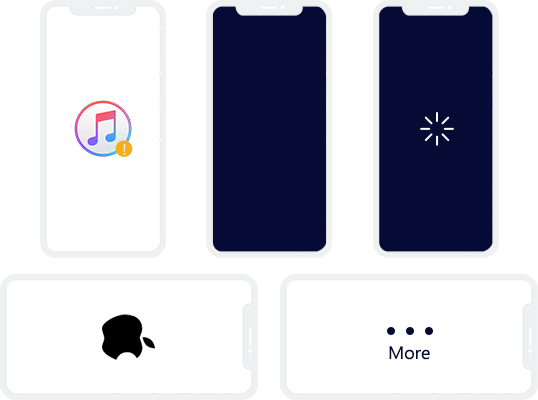
    Easily fix Apple logo stuck, black screen, boot loop, recovery mode, and frozen screens in minutes.

  • standard mode

    Standard Repair Mode

    Repair most common system glitches safely without wiping or risking your important personal data.

  • advanced repair mode

    Advanced Repair Mode

    Deeply resolve severe system crashes and stubborn iOS errors that Standard Mode cannot fix.

  • upgrade & downgrade ios

    Upgrade & Downgrade iOS

    Easily update to the latest iOS version or downgrade to a previous version without iTunes or jailbreaking.

  • repair itunes errors

    Repair iTunes Errors

    Repair various iTunes errors like cannot connect to iTunes Store, fail to update and restore iOS with iTunes, etc.

  • repaie apple usb driver

    Repair Apple USB Driver

    Resolve unusual Apple USB driver issues on your computer, such as USB drive missing or corrupted etc.

iOS problems

Easily Fix 50+ Common System Problems

iSunshare iOS Repair Genius is so powerful that it can easily repair more than 50 common iOS system problems like stuck on Apple logo, black screen of death, stuck in spinning circle etc. It can fix any problem occurs on your iOS device, except the hardware problem.

Get Your iOS Device to Normal with or without Data Loss.

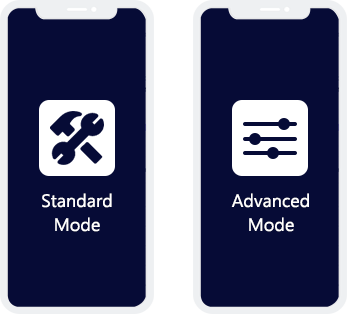
iSunshare iOS Repair Genius provides you with two repair modes to return your iOS device to normal. Standard Mode allows you to fix most of common system issues without data loss, while Advanced Mode can fix almost all the system issues at the cost of losing the data.

two modes for iOS repairing
3 steps

Repair Your iOS Device in 3 Steps

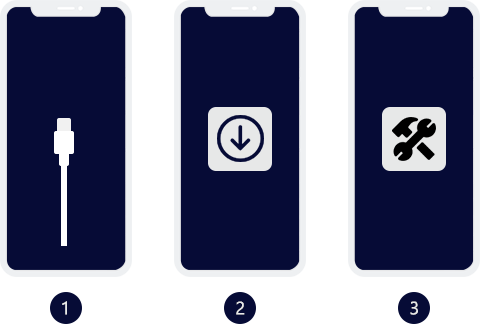
Without any complicated operation, you just need three steps to fix your device with iSunshare iOS Repair Genius:

  • 1. Connect your device to a Windows computer and select a repair mode.
  • 2. Download the firmware package.
  • 3. Click Repair button to start fixing.

Finally, your iPhone will work properly again.

Upgrade or Downgrade iOS at Ease

You can easily upgrade the iOS to newest version without the help of iTunes. Besides, you can downgrade the system for your iPhone or iPad from the newest one to any signed version with no jailbreak.

remove apple id
repair iTunes errors

Repair iTunes Errors and Issues

If your iTunes runs into errors and cannot work normally, this iTunes repair tool can fix iTunes to normal and retain your original data. Also, you can fix the iTunes connection issues, such as iTunes could not connect to this iPhone, with a simple click.

What Devices Does iOS Repair Genius Support?

Operation System Supported

  • macOS 26 and lower
  • Windows 11/10/8.1/8/7/Vista/XP/2000
  • Windows Server 2025/2022/2019/2016/2012/2008/2003

Hard Disk Space and RAM

  • 300 MB or more space
  • 2 GB or more of RAM

iOS

  • iOS 27, iOS 26, iOS 18, iOS 17, iOS 16, iOS 15, iOS 14, iOS 13, iOS 12, iOS 11, iOS 10, iOS 9
  • iPadOS 27/26/18/17/16/15/14/13

Supported Devices

  • iPhone 17/Air/16/15/14/13/12/11/XS/XR/X/8/7 and other lower versions
  • iPad mini 2, 3, 4, 6, 7 and lower
  • iPod Touch 7/6/5/4/3/2/1

Frequently Asked Questions on iOS or iTunes Repair

We Promise

gurantee
promise
promise

Our Customers Are Also Using:

iPhone Passcode Genius

iPhone Passcode Genius

Powerful iPhone passcode unlocker to unlock iPhone quickly.

Learn More
iOSBoot Genius

iOSBoot Genius

Help iDevices Easily Get in or out of Recovery Mode with One Click

Learn More